Skip to content
BRACEBRACE · How it plays

Bass, braced.

Everything on the iPhone and iPad app, screen by screen. Every picture here is the real app.

The BRACE genre screen, headed 'What are you making?', with ten genre tiles showing their tempos.

The flow

Three taps to a part.

1 · Genre

Ten genres, each with its own tempo, key and voice. Drum & Bass opens at 174 BPM with a rolling sub under a Reese; Hip Hop at 90 with a root and one move.

2 · Part

Four parts per genre, each a different job for the bass, each shown with a preview of its line. Pick one and it starts playing.
3 · Play

THE LINE shows every note, with each bar's chord when you've picked a progression. DILATE bends it live. SPARK throws a new idea. − and + move it down or up.

Undo

Up to 256 steps back — genre, part, voice, a single note. Undo and redo sit on the PLAY screen.

Voice

34 voices, five families.

All synthesised by 30P. SHAPE IT opens the envelope (attack, decay, sustain, release) and a three-band EQ with level.

Played

  • Upright
  • Fingered
  • Fretless
  • Slap
  • Driven Pick
  • Fuzz
  • Brass

Sub & 808

  • Dub Sub
  • 808
  • Pure Sub
  • Surdo
  • Log Drum
  • Dusty
  • Wobble

Synth

  • House Pluck
  • Saw Sequence
  • Square
  • Chip
  • Rubber
  • Donk
  • Hollow PWM

Heavy

  • Reese
  • Liquid Reese
  • Neuro
  • Growl
  • Metal
  • Acid
  • Too Cold

Character

  • Velvet
  • Fat Mini
  • Organ
  • FM Bell
  • Synthwave
  • Vox
The voice screen with all 34 voices and a one-line description under each.

Key, chords, tempo

Always in key.

Twelve keys and eleven scales: major, natural minor, Dorian, Phrygian, Mixolydian, Lydian, harmonic minor, both pentatonics, blues and chromatic.

Chords give one chord per bar, from dark minor progressions to bright major ones — or AUTO, where BRACE moves the bars itself.

With STRICT off, BRACE may lean into a strong beat from a semitone outside the scale, the way a player does. With STRICT on, it never leaves.

Tempo: tap it, nudge it by 1 or 10, or pick 90, 120, 140 or 174.

Create & edit · with the unlock

Down to the note.

The CREATE screen: a grid of only the notes in the key, with IDEAS, CHORDS, STOP and CLEAR.
CREATE — new ideas, key-locked. The grid only has the notes of your key. Tap to add or remove, one bar at a time, with undo.
The EDIT screen with lanes for notes, velocity, accent, glide and DILATE.
EDIT — the pattern as it plays. Drag notes to move them, then shape velocity, accent, glide and DILATE per note.
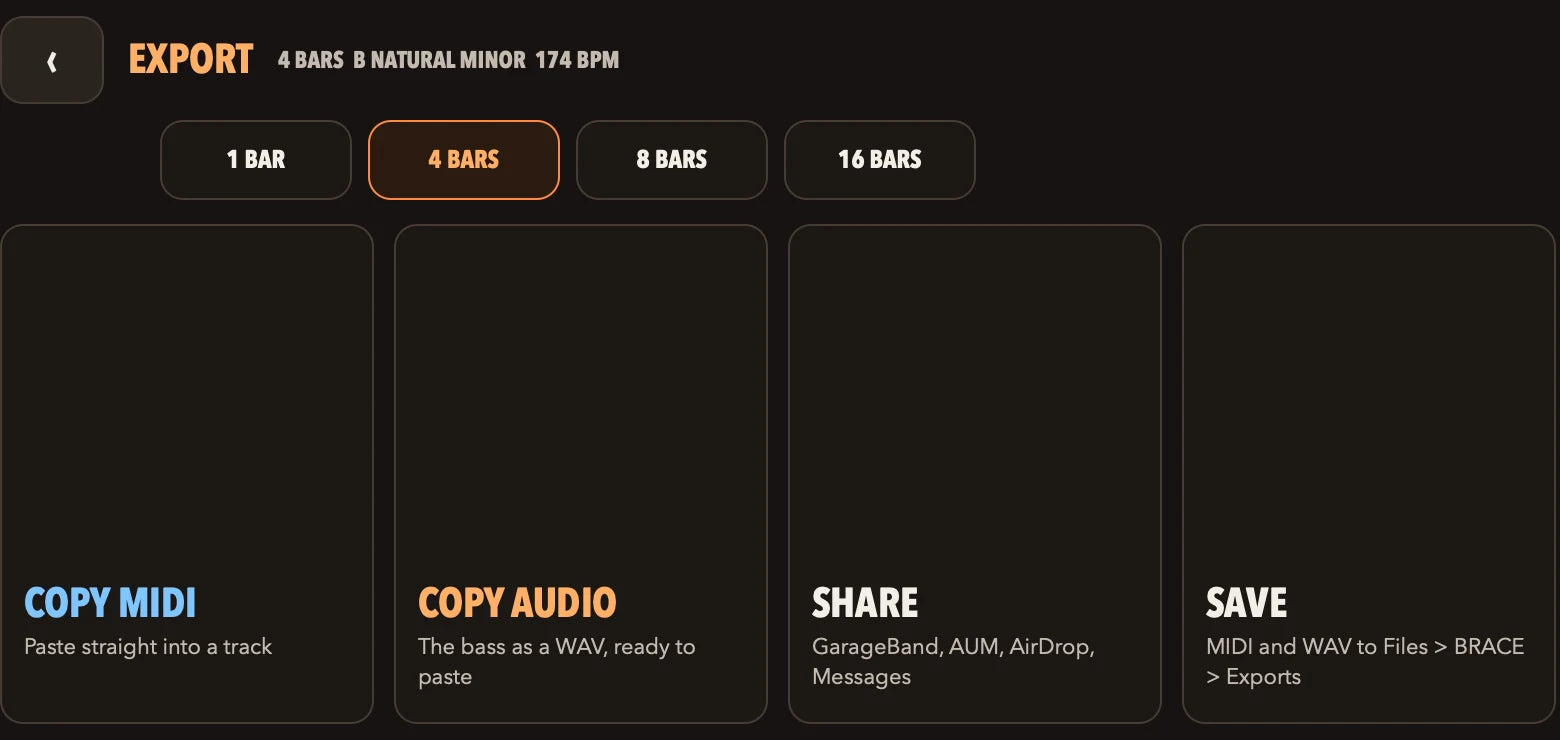
The EXPORT screen: 1, 4, 8 or 16 bars, then Copy MIDI, Copy Audio, Share and Save.

Getting it out

Every way out.

  • Copy MIDI (unlock) — the notes as a MIDI file, on the clipboard.
  • Copy Audio — the bass as a WAV, ready to paste.
  • Share — GarageBand, AUM, AirDrop, Messages.
  • Save — the WAV to Files, in a BRACE folder, plus the MIDI file with the unlock.
  • MIDI in (unlock) — plug in a USB or Bluetooth MIDI keyboard; hold a key and the line follows it, in key.
  • MIDI out (unlock) — play your own synths from BRACE's line on channel 1, drums on channel 10.

The small things

Made for a phone.

Speaker mode

A phone speaker can't play a low sub. Speaker mode rebuilds the low notes so you can still hear the line without headphones.

Click

A metronome under the bass, when you want to play along or record against it.

Landscape

Built sideways on purpose: THE LINE gets the whole width, controls are full-size buttons, and settings open full-screen.

Specifications

At a glance.

Devices
iPhone and iPad — one app, landscape
Price
Free to download. One-time unlock, shown in your currency by the App Store. No subscription, no account.
Genres
10, with 4 parts each
Voices
34, all synthesised by 30P
Harmony
12 keys, 11 scales, chord progressions, STRICT key
Export
WAV (free) and MIDI (unlock), 1–16 bars; copy, share, save to Files
MIDI
All MIDI comes with the unlock: MIDI in (USB and Bluetooth), MIDI clock in, MIDI out, MIDI files. Full details in the Deep Dive.
Audio input
None. BRACE never uses the microphone.
Processing
All on your device. No cloud, no tracking of your music.
Mac
AU / VST3 plug-in and standalone follow the iPhone and iPad release

Coming to the App Store

Be first to play it.

One email, the day BRACE is out. Nothing else.