 BRACE · Deep dive
Deep dive: the numbers.
Taken from BRACE's source code and its test suite, build of 26 September 2026, iPhone and iPad app. If a number isn't here, we couldn't verify it, so we left it out.
01 · Audio engine
The engine.
| Sound source | Every built-in sound is synthesised by 30P. No sample libraries, no recordings. |
|---|---|
| Voices | 34, in 5 families: Played, Sub & 808, Synth, Heavy, Character |
| Line | iPhone: monophonic, one note at a time, like a bass player. iPad adds an optional 2-part mode (a second, ornament line). |
| Oscillators | 2× oversampled, poly-BLEP anti-aliasing, 4th-order Butterworth decimation at ~19 kHz |
| FM | 2× oversampled |
| Saturation | Asymmetric, 2× oversampled |
| Sub / body split | Crossover 95 Hz by default (engine range 40–190 Hz) |
| Tuning | A4 = 440 Hz |
| Output ceiling | Lookahead limiter, −0.5 dBFS |
| Added latency | 2.2 ms limiter lookahead (106 samples at 48 kHz), plus your device's audio buffer |
| DC | DC blocker on the output |
| Sample rate | Runs at your device's rate. Tested at 48 kHz. |
| Output | Stereo. Width is applied to the highs only (above 180 Hz); the low end stays mono. |
| CPU (device log) | Logged on an iPhone 16 Pro Max at 48 kHz, 64-sample buffer: mean 9.24% of the audio deadline, worst block 17.05%, over 36,510 blocks. No block late. |
| Microphone | None. BRACE has no audio input and never asks for the microphone. |
| Network | Not needed to play. Everything runs on the device. |
02 · Test results
What we test.
BRACE's engine is driven directly by an automated harness at 48 kHz, 256-sample blocks. Last full run: 26 September 2026.
Every control at its minimum and its maximum, everything at maximum at once, DILATE in all four corners, and every one of the 187 factory presets.
Across every condition. With every control at maximum at once, the peak is −0.01 dBFS: the ceiling holds.
No invalid numbers anywhere in the output.
Detector: a sample is flagged when its second difference exceeds 0.25 and is at least 10× the rolling RMS of the previous 64 samples.
3 seconds after RUN goes off, the output must be below −80 dB RMS.
The whole preset bank is rendered at 64-sample and 256-sample blocks and checked against each other.
Phone app checks in the same suite: all 13 screens render; every control is pressed (dead-control sweep); COPY MIDI note count matches the line and its tempo is within 0.5 BPM; an exported WAV is the right length to ±0.05 s; the VOICE screen offers exactly the engine's voices.
03 · Sequencer & harmony
The line.
| Grid | 16 steps per bar, 4/4 |
|---|---|
| Phrase length | Up to 8 bars (128 steps), set by the part |
| Tempo | 40–200 BPM on screen. Follows external MIDI clock from 20 to 300 BPM. |
| Tap tempo | Averages up to 5 taps; resets after a 2-second gap |
| Keys | 12 |
| Scales | 11: Major, Natural Minor, Dorian, Phrygian, Mixolydian, Lydian, Harmonic Minor, Minor Pentatonic, Major Pentatonic, Blues, Chromatic |
| Key lock | STRICT ON: no note outside the scale. STRICT OFF: BRACE may approach a strong beat from a semitone outside the scale. |
| Progressions | 12, plus AUTO: 8 dark/minor and 4 bright/major, one chord per bar. AUTO lets BRACE move the bars itself. |
| Chord landing | The first note of each bar lands on that bar's chord |
| Genres & parts | 10 genres × 4 parts, built from 9 part types: Root Anchor, Pocket, Hold, Riff, 808 Slide, Stab, Rolling Sub, Eighth Pump, Octave Drive |
| Per-note data | Pitch, length, velocity, accent, glide, and two DILATE curves (time and character) |
| Octave | − / + moves the line by an octave, 6 positions |
| Undo | 256 steps |
| Autosave | Every 30 seconds, 10 rolling slots, whether or not you've unlocked |
04 · Export
Getting it out.
| Audio | WAV, 24-bit, 48 kHz, stereo. Rendered offline from bar 1, not recorded live. Includes a 0.6 s tail. |
|---|---|
| MIDI | Standard MIDI File, 960 PPQ. Track 1: tempo and 4/4. Track 2: notes on channel 1, with each step's velocity. |
| Length | 1, 4, 8 or 16 bars |
| Copy | COPY MIDI and COPY AUDIO put the file on the iOS clipboard, for apps that accept a pasted MIDI or audio file |
| Share | iOS share sheet with both files: AirDrop, Messages, GarageBand, AUM, Files |
| Save | Files › On My iPhone (or iPad) › BRACE › 30P › Bass Synth Generator › Exports |
| File names | BRACE [voice] [key-scale] [bpm]bpm [bars]bars [time] |
| Price | WAV export is free. MIDI export and COPY MIDI come with the unlock. |
05 · MIDI implementation
MIDI, exactly.
All MIDI comes with the unlock: in, out, clock and MIDI files. iPhone and iPad are listed separately where they differ. Any class-compliant USB MIDI device or paired Bluetooth MIDI device is switched on automatically.
| Message | Received | Sent | What it does |
|---|---|---|---|
| Note on / off | Yes | Yes | Any channel except 10. Hold a key: the line moves to that note, snapped to the key and scale, and plays while held. |
| Kick note | Yes | — | Note 36 (changeable on iPad) is read as your kick. It steers the kick relationship and never becomes a bass note. |
| Channel 10, notes 36–39 | Yes | — | Trigger the drum pads (iPad) |
| Mod wheel CC1 / Breath CC2 | Yes | — | DILATE character axis (bright ↔ dark) until you learn another CC |
| Pitch bend | Yes | — | DILATE time axis (drag ↔ push) until you learn another CC |
| MIDI learn | iPad | — | Any parameter, plus the DILATE X and Y axes |
| Clock | Yes | No | Follows external clock (20–300 BPM). Priority: external clock, then the host, then BRACE's own tempo. |
| Start / Continue / Stop | Yes | No | Transport follows |
| Song Position Pointer | No | No | — |
| Sustain CC64 | No | — | — |
| All Notes Off / All Sound Off | Yes | — | Clears held notes |
| Bass line out | — | Channel 1 | SEND: BRACE plays and sends. YOUR SYNTH: only the notes leave; BRACE goes quiet. With the unlock. iPhone: ☰ › MIDI OUT. iPad: ☰ › MIDI out. |
| Drums out | — | Channel 10 | iPhone: ☰ › MIDI DRUMS (shown once MIDI OUT is on). iPad: ☰ › MIDI out › Drums too. General MIDI notes: Kick 36, Rim 37, Snare 38, Clap 39, Closed hat 42, Tom 45, Open hat 46, Cowbell 56, Shaker 70, Clave 75, Zap 81. Sample pads 48–51. |
| Thru | — | No | Incoming MIDI is never echoed out |
06 · Hardware setup
Where the settings are.
iPhone
 On PLAY, tap ☰ (top row, next to SAVE) to open MENU.
 AUDIO / MIDI: audio output, sample rate, buffer size, MIDI inputs (tick to enable), MIDI output.
- BLUETOOTH MIDI (with the unlock): pair a Bluetooth keyboard or controller. After pairing it appears under MIDI inputs.
 MIDI OUT (with the unlock): tap to step Off › Send › Your synth. MIDI DRUMS appears beside it once it's on. Pick the output device in AUDIO / MIDI.
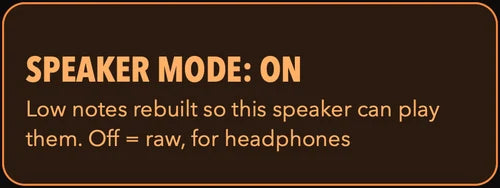 SPEAKER MODE: only acts on the phone's own speaker (see Safety).
 CLICK: a metronome under the bass. 1760 Hz on the downbeat, 1100 Hz on other beats.
 On PLAY, tap ☰ (top row, next to SAVE) to open MENU.
 AUDIO / MIDI: audio output, sample rate, buffer size, MIDI inputs (tick to enable), MIDI output.
 MIDI OUT (with the unlock): tap to step Off › Send › Your synth. MIDI DRUMS appears beside it once it's on. Pick the output device in AUDIO / MIDI.
 SPEAKER MODE: only acts on the phone's own speaker (see Safety).
 CLICK: a metronome under the bass. 1760 Hz on the downbeat, 1100 Hz on other beats.
iPad
- Tap ☰ in the top bar of the full editor.
- Audio / MIDI Settings…: output, sample rate, buffer size, MIDI inputs, MIDI output.
- Bluetooth MIDI Devices…: pair Bluetooth MIDI.
- MIDI out: Off, Send (channel 1), Your synth, and Drums too (channel 10).
- DILATE joystick / CC: learn a CC or joystick for the TIME and CHARACTER axes, or clear the mapping.
Lowest latency
Use wired headphones or an audio interface. Bluetooth headphones add their own delay that no app can remove. A smaller buffer in AUDIO / MIDI lowers latency but raises CPU load.
07 · Safety
Bass can do damage.
BRACE is a bass instrument. Much of what it makes is sub-bass, and loud sub-bass damages small speakers and hearing. Read the full warning on the Support page before you play loud.